What is ExpertFlyer?
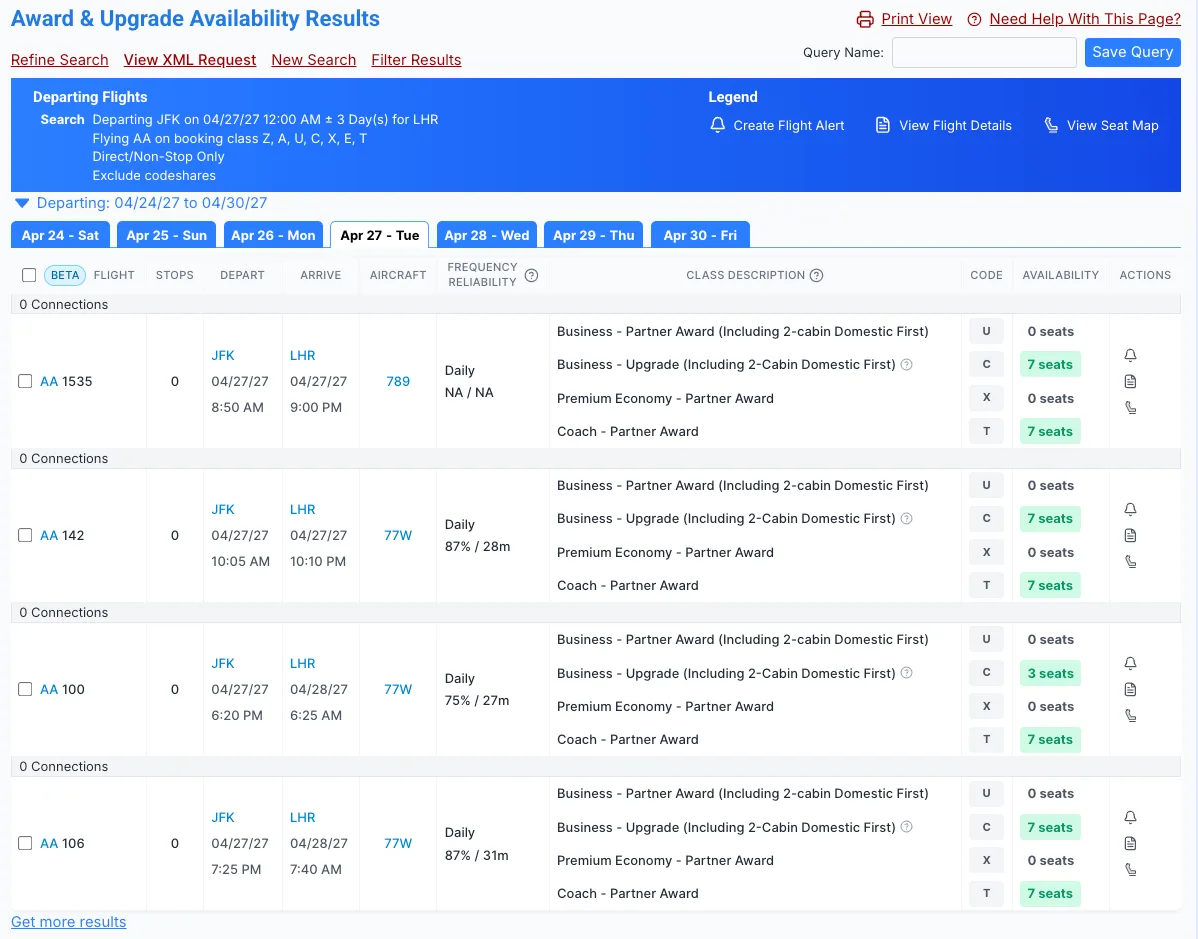
ExpertFlyer is different from every other tool here. It doesn’t tell you how many miles a flight costs, and it doesn’t compare programs. Instead it shows the airline’s own seat inventory on specific flights: how many seats are left for awards and for upgrades, flight by flight.
That makes it the tool for a precise question, such as “Is there an upgrade seat on my 8 p.m. flight to London?” or “Tell me if a business award opens on this exact flight.” It has been around for years and belongs to Red Ventures.
Fare classes, in plain words
Airlines sell each cabin through lettered “buckets”. A few buckets are set aside for points bookings and for upgrades, and they open and close separately from paid fares. So a flight can have business seats for sale for cash while the award bucket is empty.
On American Airlines, for example, U is a business-class partner award and C is a business upgrade. ExpertFlyer shows each bucket with a number: “U 2” means at least two business award seats. Counts stop at 7, so “7” means seven or more.
How a search works
- Open Awards & Upgrades. Or Flight Availability for every fare class.
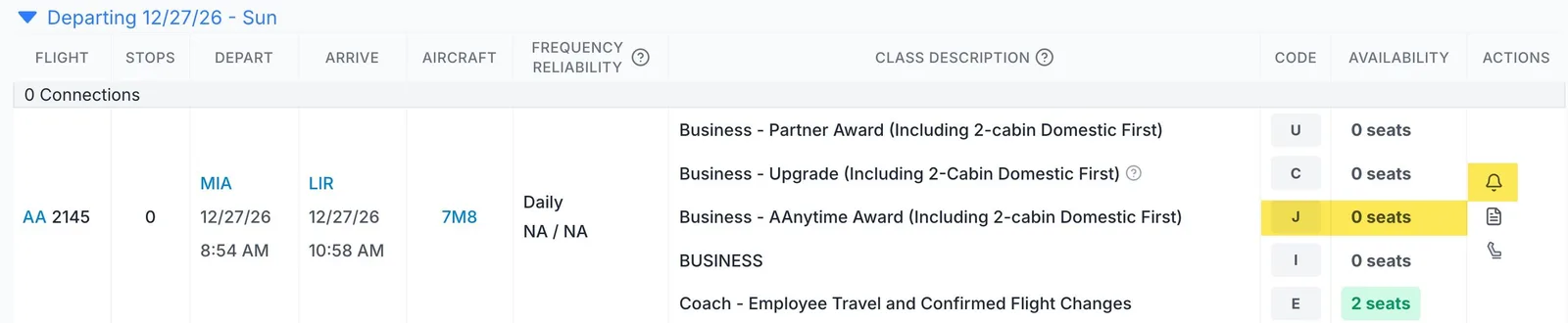
- Enter the flight. Airline, from, to, date and cabin. Use the operating airline, not a codeshare number, or you may see nothing.
- Tick the classes you want. For example “Business – Partner Award” or an upgrade class.
- Read the rows. One flight per row with the aircraft, each class and its seat count.
- Act on it. Set an alert from the bell icon, or call or book with the airline. ExpertFlyer doesn’t book.
An example: waiting for a seat to open
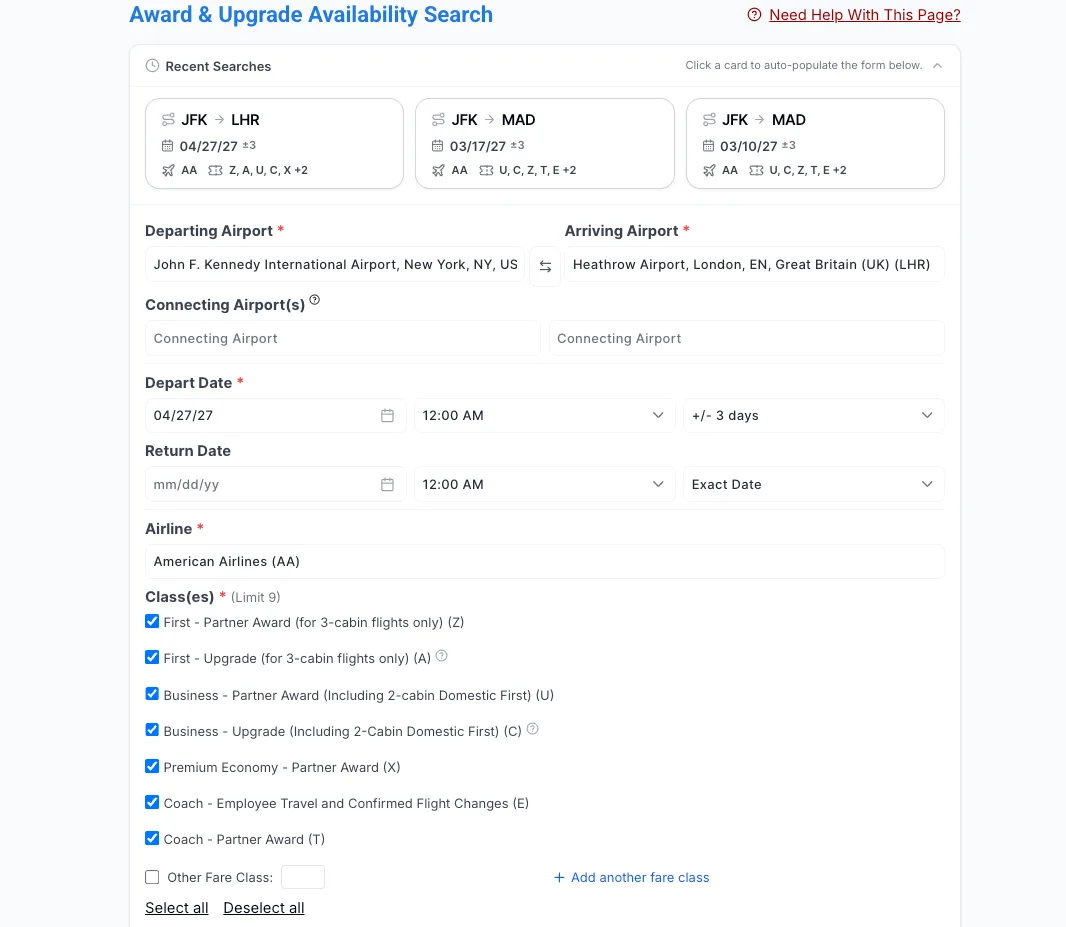
ExpertFlyer’s own walkthrough looks at American Airlines from Miami to Liberia, Costa Rica, in business. The search shows zero business award seats on the flight they want. Rather than checking every day, they set a Flight Alert asking for two seats in that class.
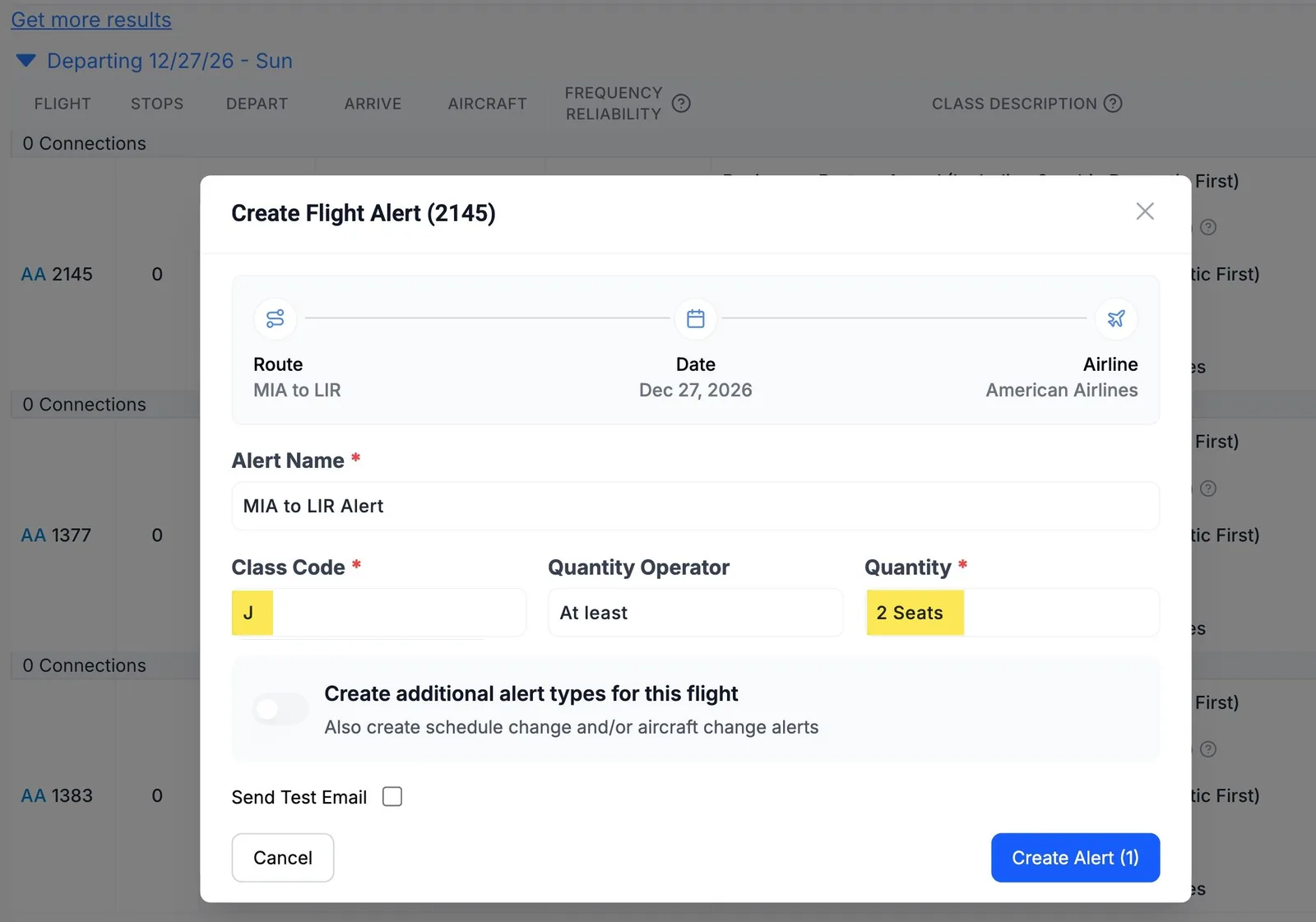
ExpertFlyer then checks about every hour, and more often as departure gets closer, and emails or texts when the seats appear. You still need the right program and enough miles to book them.
The flights in this example show how the tool works. They are not proof that those seats are available today. Always check the airline’s own website before you transfer points.
Seat maps and Seat Alerts
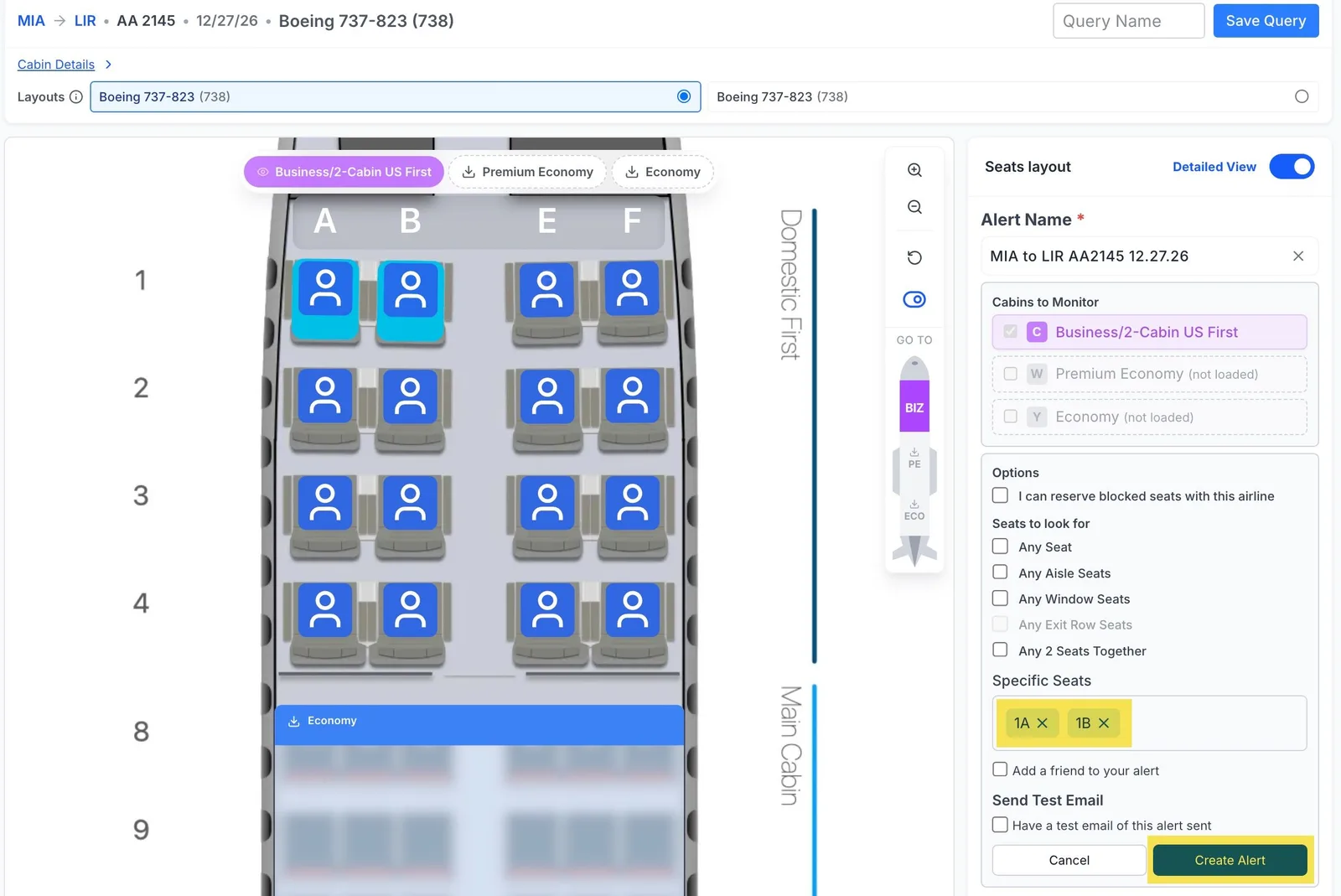
Seat maps cover more than 400 airlines. A Seat Alert watches the map and tells you when a window, aisle, exit row or a specific seat frees up, checking every few minutes. This is the one part of ExpertFlyer that is free.
Free and paid plans
Free
$0
- Basic seat maps
- 1 Seat Alert at a time
- No award or upgrade search
Basic
$5.99 a month, billed yearly
- Award and upgrade search, one date at a time
- 250 searches a month
- 50 alerts
Premium
$10.99 a month, billed yearly
- Unlimited searches
- Award and upgrade search a week at a time
- 250 alerts, schedule and aircraft-change alerts
Elite
$19.99 a month, billed yearly
- Everything in Premium
- Expanded systemwide upgrade search
- Aimed at American’s top elite members
Prices checked on ExpertFlyer in November 2026. Basic and Premium have a 5-day free trial. Check ExpertFlyer for current prices.
What we like
- Precise alerts on one exact flight.
- Shows upgrade space no other tool here does.
- Seat Alerts are free.
What could be better
- Technical; you need to know fare classes.
- Doesn’t show how many miles you need or which points to use.
- Award search covers 28 airlines, not every program.
Who should use ExpertFlyer?
ExpertFlyer is for experienced travellers with a specific flight in mind, especially elite members waiting on upgrades. It answers questions the other tools can’t.
If you are new to points, start with point.me or PointsYeah, which tell you what a flight costs and how to pay for it.